Structures
Structures organize a group of wiki pages into a tree or book that can be easily navigated by users. The pages are placed in a hierarchy that you specify, with blank pages created where they do not already exist. Creating a structure is the fastest method for creating multiple pages at once. Navigation aids are automatically created to help users move through the structure. It's a great way to make a book.
Enable the Feature
Since Tiki3, the structures feature may be enabled/disabled at Admin > Wiki > Features.
Since Tiki9, structure management has been extended: nodes can be moved around in the structure tree through drag and drop. In addition, "add new page" form has been moved into a dialog and add + buttons have been added to page actions
Since Tiki15 a wiki structure can be locked, meaning that the pages that are in a structure and the order/hiererchy of these pages can only be changed by the locking user.
A new preference needs to be set to allow this structure locking option to be available and a new permission has been created to allow individual users the privilege to do it. As with all the various permissions 'sets', if a user has been granted tiki_p_admin_structures (now added as a new permission) they can do all the various structure activities including the unlocking of a structure locked by another user.
To make structure permission management clearer and easier to find, a new 'wiki structure' section has been created in the permission tables.
Since Tiki15 also, tools for the top page have been added so that the range of structure admin functions can be carried out on the top page of the Structure as well the individual pages. See the Structure editing documentation for more details.
In addition what permissions are needed to carry out the various Actions on a Structure have been clarified and made more consistent.
Requirements
There are some special permissions involved with structures, in order to allow certain actions for groups of users.
As could be expected, both global and category permissions can be granted for Structures, but as a Structure itself is not a categorisable object - whereas all the individual pages in a Structure are - the Structure permissions that apply to categorisation are 'taken' from whatever are applied to the top page of the Structure. This does provide a great deal of flexibility but can be a little confusing if not considered carefully.
Since Tiki15, to make the Structure permissions more accessible/visible in the permission tables, a separate section has been created, labelled 'wiki structure' and the following Structure permissions are available.
See: Structure+User#Structure_permissions
Add pages to structures at page creation time
You can add pages to the structure at page creation time, having them updated in real time in the structure table of contents/menus:
- You need to have a structure created already
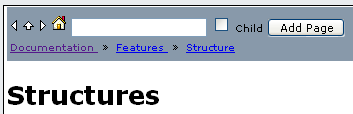
- You have an input field above the page to add a sister page to the same structure. If you also click at the box "child" before clicking to create the page, your new page will be a child of the previous one, and not a sister.
- We have a {toc} syntax in the page, which can explicitly say we want to display this and this structure, those levels, depth, etc.
Example:
Create a Menu from a structure toc
See Structures User
For example, note that this page is in fact in a structure. The house icon ( ) and the arrows on top of this page - they allow you to navigate between pages of this manual which is a structure (backwards: | up: | forward: ).
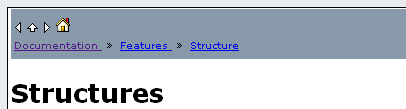
If the user belongs to a group with the required permission (see above), you can add pages to the structure from any page which already belongs to it:
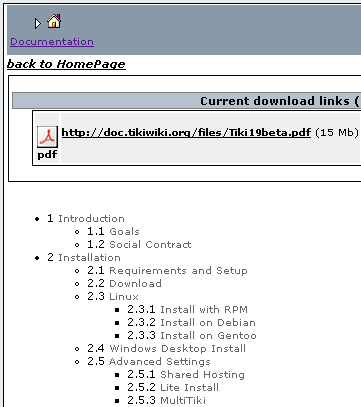
You can create table of contents using the toc syntax (explained in the following pages); e.g. the one you see on the top (or "root") page of this structure by clicking on the house icon (
 ):
):
Drag and Drop support for management (new in Tiki9)
In Tiki9 pages can be moved position in the structure through drag and drop. See Structure Admin for more details.
Structures Drill Down menu (new in Tiki10)
A Drill Down menu for structures has been added in Tiki10, so that when the user passes the mouse over a node in the line indicating the path to that node in the structure hierarchy, the names of all the children of that node will be displayed below the path to that structure node as links for easier navigation.
See Structures Drill Down menu
More information
See more information about its usage at Structure User, and about managing structures at Structure Admin.
TwTv3 School Tv - tutorials and help from power users to show you how to do things.
- Xavi shows you how to use structures and also how to take multiple wiki pages into a word processor
- Part 1
- Part 2
- Part 3
Related pages
http://tiki.org/TikiWikiTV - Channel 3
Also see: Multilingual structures
Structure | wiki structure | book | books | wiki book | wiki books
;)