Tags
- Overview
- Freetags are the way to solicit content authors and/or users to create a taxonomy structure for your site. Unlike categories, which are pre-defined, Freetags give the authors freedom to define their own structure (or lack of structure - with Freetags you can have "Cars","Autos","Automobiles" as tags)
- To access
- Click the Tags icon on the Admin Panel
or Access http://example.org/tiki-admin.php?page=freetags
- Tabs
- This page contains the following tabs:
-
- Note
- Categories can be used to create a defined taxonomy structure and to provide access control. Freetags can not be used to provide access control.
- Note
- The following information should be migrated to the Freetags section of the Tiki User and/or Admin Guides
Tags
This page is about Freetags, which is the folksonomy implementation of TikiWiki. The name is based on the name of the underlying library from Gordon Luk: http://www.getluky.net/freetag/.
Though similar in function to categories, freetags work somewhat differently. Also, freetags should not be confused with backlinks-to-index style tags discussed further at Documentation Status.
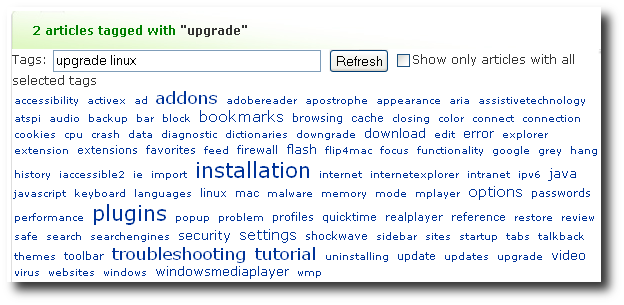
Basically folksonomy tagging means/is based on:
- everybody can assign keywords to anything
- bottom-up instead of top-down categorization
- from chaos comes order
- emergent patterns are more powerful than imposition of categories
See: Multilingual tags
What can I tag within Tiki?
You can currently tag:
- Wiki pages
- Blog posts
- Image gallery & individual images
- File Gallery
- Trackers & individual tracker items
- Quiz
- Polls
- Surveys
- Directory
- Faqs
- Spreadsheet
- Articles
Modules
- freetag : that allows to add and remove tag from a current object
- freetags_current : that displays the current tags of an object. Only for a wiki page.
- freetags_prefered : Shows the favorite tags of a user. The number of tags is the value of the parameter rows defined at the module assigment.
- freetags_most_popular: Shows the most popular tags. The number of tags is the value of the parameter rows defined at the module assigment.
- freetags_morelikethis: Shows the objects that have the same tags than an object. Only for a wiki page. The number of objects is the value of the parameter rows defined at the module assignment.
User
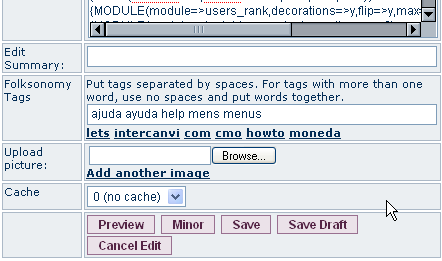
When offered to do so (for instance, editing wiki pages), just enter your tags into the textfield separated by spaces.
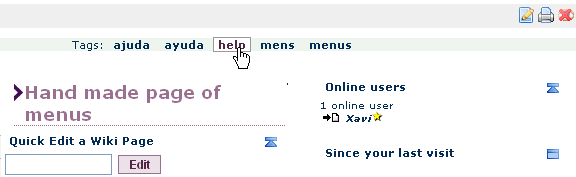
You can browse the available tags by clicking on one, when seeing it somewhere.
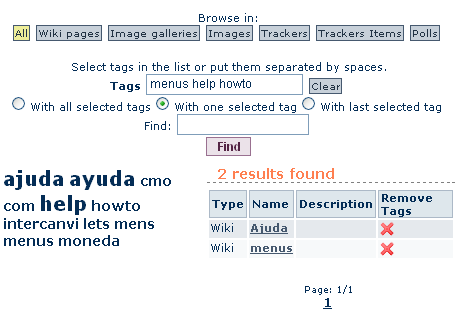
It will take you to tiki-browse_freetags.php with the tag centered in the morcego browser, if that feature is enabled.
The syntax of a tag is defined by the admin setting. Tags are separated by space(s). If you want to enter a tag with a space - if the admin setting allows it, you must enclose it into double quotes. Example: in the module freetag, if you enter: "computer science" ibm pc, you will add 3 tags "computer science", "ibm" and "pc"
Improving search results for tags
See:
https://doc.tiki.org/Search+General+Settings#Tips
- http://en.wikipedia.org/wiki/Folksonomy
- Some ideas about freetags display: http://www.smashingmagazine.com/2007/11/07/tag-clouds-gallery-examples-and-good-practices/
Alias
tagging
freetag
freetags
free tag
free tags
Folksonomy
label
labels
;)