Banning
This feature allows you to limit who can access what features based on the user name or IP address of the computer they use.
1.1. Introduction
It is handy to block wiki spammers if your site has registered or anonymous editing permissions, or spammers to any of most of the other features in Tiki.
To enable the feature go to:
- "Admin home > Log in" and "Admin home > Security"
1.2. Manage banning rules
Once activated, you can access the Banning admin page under the Admin menu
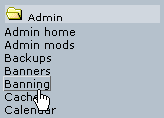
That link will lead you to tiki-admin_banning.php, which will show this options:
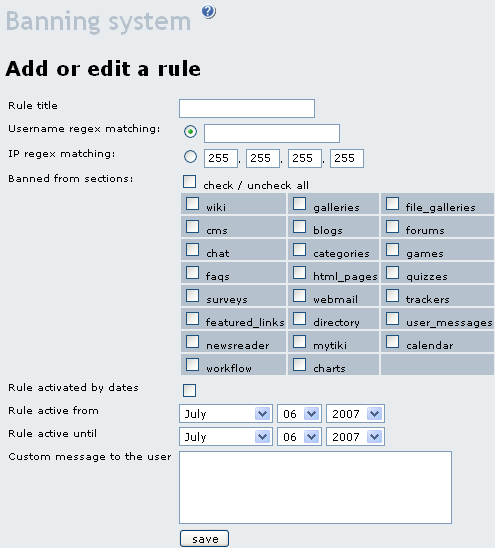
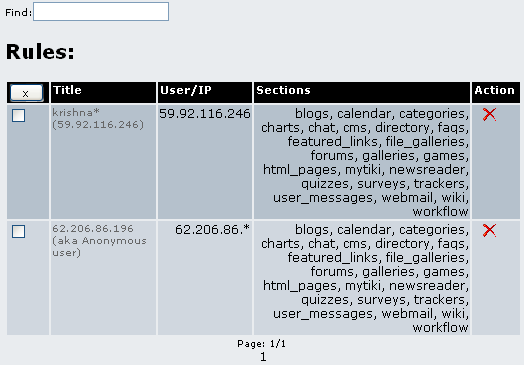
Once a new rule is created, it will be listed below under the list of banning rules:
1.3. Where to get ip information from
You can find out spammer IP addresses by viewing the history (History button) of a wiki page that was spammed by that person. The IP address appears next to the user name in the list of changes made to the page.
You can also find the ip at the action log interface.
1.4. Import / export banning rules as csv files
Since Tiki8 banning rules can be exported as csv files, and imported into other tiki sites. You can also customize them by hand off-tiki, and import them again in the same Tiki site.
1.5. Multiple banning of comment spammers
You can ban the ips of comment spammers directly from the admin comments interface.
1.6. Multiple banning spammers from Action Log data
There is an option to allow the selection of multiple items shown in the action log interface, and sending that information of their ip's to the banning feature, with the minimum number of clicks to have multiple ip's banned at once. This way, after this action:
you can directly customize the parameters of the banning for those ip associated with the actions you selected in the previous step:
1.7. Multiple banning from user registrations
Since Tiki 14.0, admins can easily ban multiple IPs from spam user registrations directly with just a few clicks. They can also optionally remove the user accunts and their user tracker items, as well as their user pages.
;)