What's new in TikiWiki 2.0
A quick introduction video to version 2.0
Full list of changes
To see the full list of changes introduced in version 2.0, see the changelog with the 6894 commits (code changes). Below is the executive summary. If you feel there is something missing, please update it. It's a wiki!
New & improved features
1.1.1. Accessibility
- HTML Purifier (Content is cleaned to XHTML 1.1 Strict on each save)
1.1.2. Action log
Logs allows an admin or any user with the necessary permission granted to view reports of actions made by him/herself or by other users of the same site.
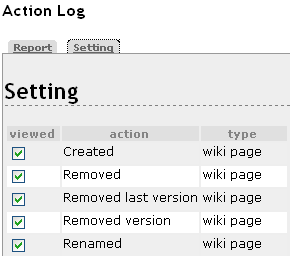
Etc...
|
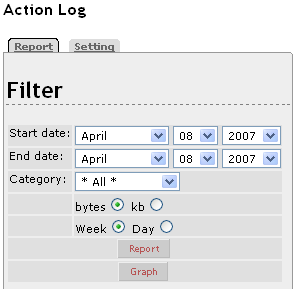
Reporting filters for any user, through My Tiki - Action log (when contribution feature is enabled)
|

1.1.3. Admin improvements
- Admin interface, with nicer icons
- Site identity, with more option


1.1.4. Ajax & Flash enhancements
Ajax So far, asynchronous Wiki edit page display and submit, and ))MyTiki(( info and preferences display (information displayed in context without total page refresh being necessary).
Mootools Activating Mootools loads mootools.js in HTML head. Full implementation pending.
1.1.5. Authentication
Authentication has received a major enhancement.
Some new options
- Use login as email
- Crypt passwords method
- User trackers at registration
1.1.5.1. OpenID
You can test OpenID at http://wiki-translation.com
1.1.5.2. Shibboleth
Shibboleth Authentication has been added.
1.1.6. Banners
Banners Now handle Flash
1.1.7. Calendar
Calendar feature has been split into two: (1) Action calendar and (2) events Calendar, with a redesigned user interface and many more features, including Feeds feeds, among others.
1.1.8. Category
- Mandatory category in the category tree
- Watch category (receive email notification of change for that category)
- Improved permission system for categories: See Categories Details
| Perm Name | Default Level | Description |
| tiki_p_admin_categories | editors | This permission grants access to tiki-admin_categories.php, and is required when a user needs to change categories as well. |
| tiki_p_view_categories | registered | * can see objects and list of objects in the category. * required to have the display of the categpath (on top) on wiki pages, as well as categobjects at the bottom. * this perm now also is required to categorize anything. This could provide a layer where categs are only visible to a given group for internal management, while other groups won't even know there is a categories system. |
| tiki_p_edit_categorized | registered | * allows user to edit objects in category * replaces tiki_p_edit_categories(in 1.9 or prev). |
| tiki_p_view_categorized | registered | * view-only permissions on a category. * replaces tiki_p_view_categories (in 1.9 and prev) |
1.1.9. Contacts (in MyTiki)
- tiki-contacts.php has been re-written. Contacts used to be only in webmail before (tiki-webmail.php?locSection=contacts)
- Contacts can now be shared with other groups.
- In addition to 1.9 fields (First Name, Last Name, Email, Nickname), many more fields (City, Company, Country, Department, Division, Job Title, Organization, Personal Fax, Personal Mobile, Personal Phone, State, Street Address, Work Fax, Work Mobile, Work Phone, Zip Code) have been added and you can now add custom fields.
1.1.10. Contribution
Contribution feature allows to let users (or force them to) choose one or many of the contribution types offered at the edit form of several tiki features (wiki, forum, comments, sheets, blogs, ...) before sending the edition/post/data. This is specially useful in educational scenarios where users can be reminded each time to chose the type of contribution they are doing; and later on, teachers can easily review a summary of contributions recorded by Action log feature, shown as numbers of type and amount of information added or deleted by each student, or groups of students, in a given time frame, in objects related to one or many tiki Categories.
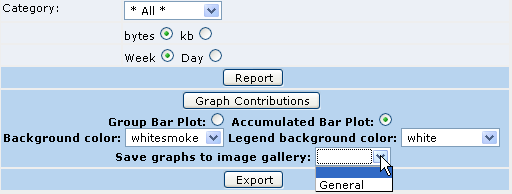
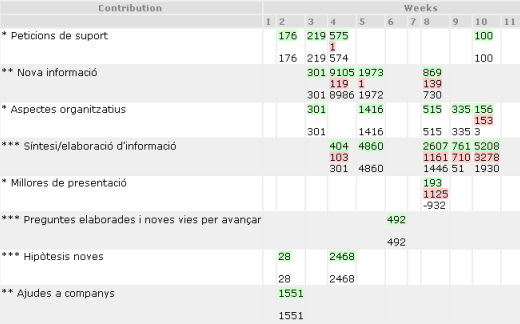
Text reports in tables
|
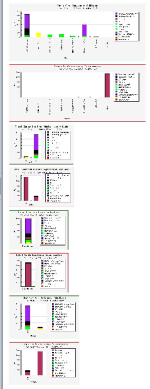
Graphical reports
|
1.1.11. Copyright management
Copyright management has been added on blogs, articles and faq

1.1.12. File Galleries
- Check-in, check-out, versioning for each file, which adds the wiki way to the File Gallery!
- Now with subgalleries
- Podcasts
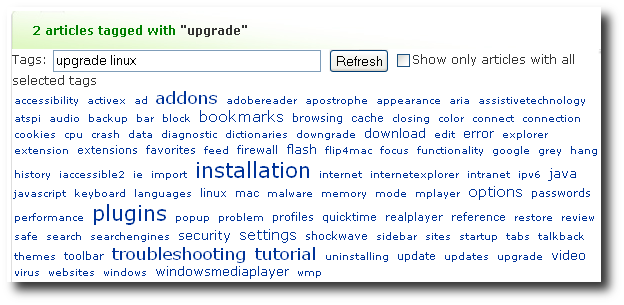
1.1.13. Free tags
Tags can now be used in addition to categories.
1.1.14. Forums
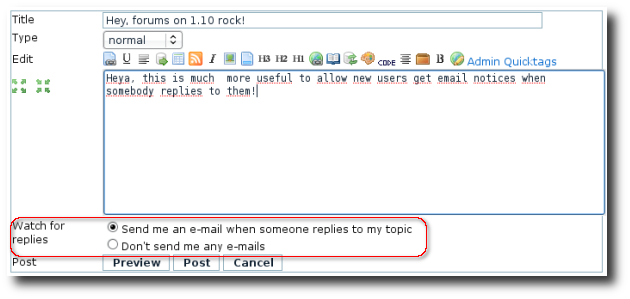
The forums went trough a redesign of the user interface and administrators have more control over the way forums are handled. Moreover, when you start a new thread you have the option to select monitoring that thread just at posting time (and selected by default):
1.1.15. Fullscreen mode
Fullscreen When activated on the Admin Features page, a Fullscreen link enables the site user to see the center part of the page — without the top and bottom bars or side columns — displayed full window size. This is useful for viewing large images, wide tables, etc.
1.1.16. Image Galleries
"Eye candy" image browsing with Shadowbox has been implemented.

1.1.17. Menus
- Can now handle more than one Phplayersmenu menu at a time
- New Suckerfish menus
- Highlighting in menu of current location
- Split level menu (level 1 can be horizontal on top and level 2 vertical on the left
1.1.18. Microformats
You can test microformats at http://wiki-translation.com and get more information on dev:microformats.
1.1.19. Modules

1.1.20. Multimedia support
Tikiwiki more fully supports MP3 and .flv Flash files and provide an open source player.

Multimedia can be inserted in trackers or in wiki pages.
1.1.21. Newsletters
- Can now have distinct HTML vs text content.
1.1.22. Notepad enhanced
(add some short info, screenshot/s, and link to full documentation of the new feature here)
1.1.23. PDF generation
With new library (should be more reliable than previous library) pulled out because of unreliability
1.1.24. Protect email against spam
A new option to protect all emails in all wiki pages. For more information, see Spam Protection
1.1.25. Section Edit (in wiki)
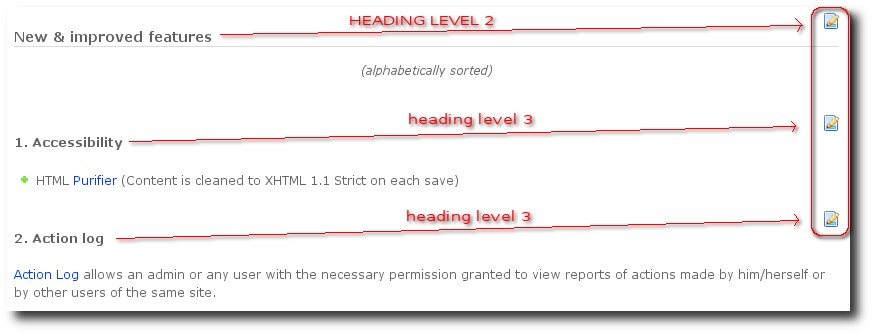
You can edit wiki pages by sections limited between headers of equal level. See Edit by Section for more information.
1.1.26. Shoutbox enhanced
User can modify their messages in shoutbox. Shoutbox can use CAPTCHA to reduce spamming by scripts.
(module and main page)

1.1.27. Tell a Friend
Tell a Friend A link is displayed on each Tiki page that can be used to email the page (actually its link) to someone.
1.1.28. Tests
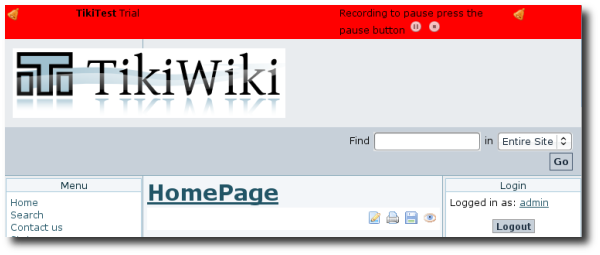
This feature allows the user to record a web session and to replay it. On replay the pages will be compare to see if some changes occurred in between. See TikiTests for more information.
1.1.29. Time Zone handling
The time zone handling has been revamped.
1.1.30. Translation
1.1.30.1. Interactive Translation of Tiki interface
Any user can translate any missing string on the fly through clicking to a sign next to that string. See Interactive Translation for more information.
1.1.30.2. Easily keep translated wiki pages syncronized
Tikiwiki allows users in a community to keep translated wiki pages updated and synchronized, without the need to define a master language where all pages shoulb be translated from.
Take 5 minutes to watch the interactive tutorial at Multilingual Wiki, and see it live at http://wiki-translation.com while we update doc.tiki.org to 2.0 to let you use this unique feature with our own documentation.  Used in production at support.mozilla.com
1.1.31. Trackers significantly enhanced
1.1.31.1. Full control over layout
Forms & reports can now have any layout (codename: pretty trackers)
1.1.31.2. new field types
- computed fields
- google maps
- user subscription
- Auto-increment
- multimedia
- dynamic items list
1.1.31.3. new tracker plugins
- TRACKERSTAT
- VOTE
- MINIQUIZ


1.1.31.4. Exporting data improved
The capability to export data from a tracker has been improved, allowing to select fields, set filters, etc.
1.1.32. Wiki Auto Save a Draft
There is a page draft feature in 2.0 which autosaves the wiki page content periodically, using AJAX
1.1.33. Wiki page permissions
(add some short info, screenshot/s, and link to full documentation of the new feature here)
1.1.34. Wiki Page Staging and Approval
Wiki Page Staging and Approval (where edits can be approved before they go live)
1.1.35. Universal Wiki edit button
http://universaleditbutton.org
1.1.36. Wysiwyg in Wiki pages
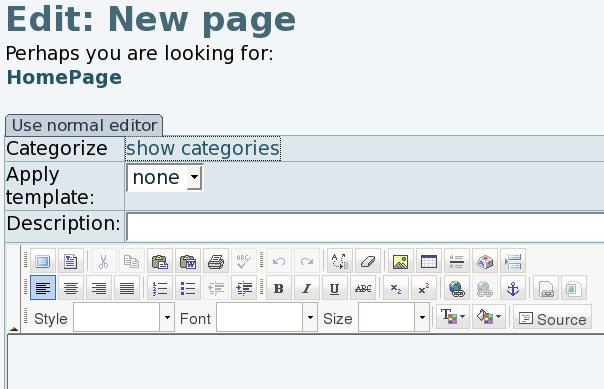
With FCK Editor: WYSIWYG
Known issues
- Edit CSS administration functionality is now currently broken after a security fix. Will be solved as part of the next release.
Version 3.0
Work has already started on Tiki3, which will be released in April 2009. The main focus of version 3.0 will be further enhancements to the user interface, the admin interface, the theme system and built-in themes.
;)