Group Trackers
Groups trackers are trackers that can be used to:
- Show a tracker item for each user from a group of users in the tiki site, while avoiding that other users can see other tracker items.
- "register" an existing user to become a member of a group, as like an application form. This functions much like a User Tracker does.
It might not be working as expected in Tiki 2.x sites, whereas it has been reported to work as expected in Tiki3. There is an alternative method explained below to get a similar behavior in Tiki 2.x sites.
To Enable
In Admin>Login you can check the following:
Creating Groups Trackers
- Create the Groups
Create a group as normal. see: Groups Management.
Ensure that "User can assign to the group himself" - Create a tracker
tiki-admin_tracker.php
The tracker must contain a field of type user selector with the option 1
If you want the items to be seen only by his user, you must set special perm on the tracker, as tiki_p_admin_trackers for the admin group.
Even if there is no tiki_p_create_tracker_items for the tracker, the user will be able to create his item and to modify it. - Associate the tracker with a group
tiki-admingroups.php
You need to select the tracker and the fieldId of the user selector/option 1 field. - Save your changes in previous step, then add fields
To be able to set the list of fields for the group tracker you must first save. Then you can decide if a field is mandatory or not, you can use this tracker as a mandatory set of new fields for registering for that group.
Then each user of this group will have a tracker item that he will be able to modify from MyTiki.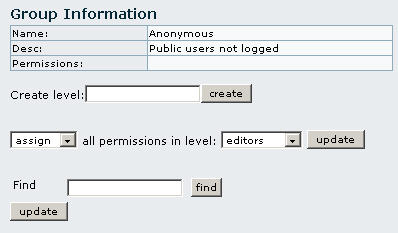
- Viewing, editing
The user must have the group as his default group - Groups Tracker Permissions
If the permissions are ok, the user can see his item in the group tracker with:tiki-view_tracker_item.php?view=+group
If the item exists and the permissions are ok, you can see the user tracker of another user with:tiki-view_tracker_item.php?user=yyyyy&view=+group
Alternative method in for Tiki 2.x sites
You can set your fields to be "visible by creator & admin only", and the tracker field level, option "Field is hidden?".
This way, each user will be able to see his/her own tracker item through "My Tiki", but even if that user types the url of another tracker item (for another user), nothing will be shown at the tracker item level.
Additional comments
Note: a user can have many Groups Trackers associated to him. Each tracker must have a field of type user and option creator. To be able to see the item associated to the user (if permissions are ok) you can use:
tiki-view_tracker_item.php?group=xxx&user=yyyyy&view=+group - the group must have a user tracker
tiki-view_tracker_item.php?trackerId=yyyyy&view=+group - the tracker must be a user tracker
For more information see trackers and Groups Management
;)