Fullscreen
[Show/Hide Left Column]
[Show/Hide Right Column]

(deprecated with 5.0) Display a thumbnail
3d browser Print

Plugin Thumb


Close
warning Warning!
Starting with version 4.0, Plugin Thumb likely won't work and its features are incorporated into PluginImg. With version 5.0, Plugin Thumb will no longer be available. Upgrade scripts for 5.0 will automatically convert uses of Plugin Thumb to Plugin Img.

After upgrade, the sticky parameter won't work using Plugin Thumb - convert to PluginImg to use this feature.


This plugin is useful to include images in wiki pages with minimal disturbance of the text flow. It's an autonomous plugin, you should be able to use it with any version of Tiki (at least since 1.6). If you want to use it in an old version just copy the file in lib/wiki-plugins/

Syntax

{thumb image="img/wiki_up/393px-Pears.jpg" max="100" float="left"}

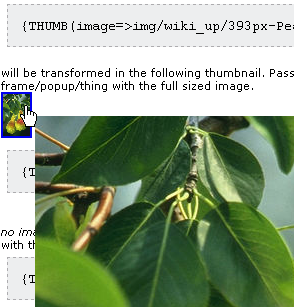
will be transformed in the following thumbnail. Pass your mouse over the thumbnail to get a frame/popup/thing with the full sized image.



You will see something like:

You can also use an image from an image gallery (tw >= 1.9.8)
with the scaled image in the popup
{THUMB(id=94)}{THUMB}


with the original image in the popup
{THUMB(id=94,original=y)}{THUMB}


Parameters

  • Mandatory
    • image : the local path to the image file (won't work with remote files)
or
    • id: the image Id
  • Optional
    • url : the url of the link
    • max : indicate the max width or height (whichever is higher) for the thumbnail (default 84)
    • float : none (default), left or right to make the text run around the thumbnail if wanted
    • data : it's the special plugin parameter to name what is between the tags. If text is included there, it will be printed over the image. This can be weird, but fun.
    • original: y - optional if it is an image of a scale gallery, the popup will display the original iamge, otherwise, the scaled image
    • sticky: y|n - default n - ioptional - to have a sticky popup (tw 1.10)

Note
  • for tw <1.9.8, you must specify url


Contributors to this page: lindon1699 points  , ellmann82 points  , marclaporte4507 points  , SEWilco674 Punkte  , Xavi26097 points  , sylvie3000 pistettä  and system .
Page last modified on Saturday 06 March, 2010 06:03:32 UTC by lindon1699 points .

To register

To have an account at this site, please register at Tikiwiki.org (external link), and then use that user name and password to log in here.

Find by Page Name

Exact match

Keywords

The following is a list of keywords that should serve as hubs for navigation within the Tiki documentation and should correspond to development keywords (bug reports and feature requests):

Accessibility (WAI – 508)
Action log 2.x
Alert 3.x
Articles & Submissions
Backlinks
Banners
Blog
Bookmark
Browser Compatibility
Cache
Calendar
Category
Chat
Clean URLs
Comments
Communication Center
Compression (gzip)
Contacts Address book
Contact us
Content template
Contribution 2.x
Cookie
Copyright
Custom Home (and Groups Home Page)
Date and Time
Debugger Console
Directory (of hyperlinks)
Documentation link from Tiki to doc.tikiwiki.org (Help System)
DogFood
Dynamic Content
Dynamic Variable
External Authentication
FAQ
Featured links
File Gallery
Forum
Friendship Network (Community)
Gmap Google maps
Groups
Hotword
HTML Page
i18n (Multilingual, l10n, Babelfish)
Image Gallery
Import-Export
Install
Integrator
Interaction
Inter-User Messages
InterTiki
Karma
Live Support
Login
Look and Feel
Lost edit protection
Mail-in
Map with Mapserver
Menu
Meta Tags
Mobile Tiki and Voice Tiki
Mods
Module
MultiTiki
MyTiki
Newsletter
Notepad
Payment
Performance Speed / Load
Permissions
Platform independence (Linux-Apache, Windows/IIS, Mac, BSD)
Polls
Profile Manager
Quicktags
Quiz
Rating
Feeds
Score
Search engine optimization
Search
Security
Semantic links 3.x
Shadowbox
Shoutbox
Slideshow
Smarty Template
Smiley
Spam protection (Anti-bot CATPCHA)
Spellcheck
Spreadsheet
Stats
Surveys
System log
Tags 2.x
Task
Tell a Friend + Social Bookmarking 2.x
TikiTests 2.x
Theme
Trackers
TRIM
User Administration including registration and banning
User Files
User Menu
Watch
WebHelp
Webmail
Webservices
Wiki 3D
Wiki History, page rename, etc
Wiki Page Staging and Approval 2.x
Wiki Plugins extends basic syntax
Wiki Syntax
Wiki structure (book and table of content)
WYSIWYCA
WYSIWYG 2.x
XMLRPC