E-Democracy system
This page displays some sort of Tutorial information about how to use Tiki as a base for an electronic democracy system.
see also: The World Parliament Experiment
1. Submitting proposals through using Wiki pages and their rating system
You need to have select the checkboxes:
- Rating, under "Admin > Wiki"
- Polls, under "Admin > Features"
Check that registered (or anonymous, whatever you prefer) have the global permission to view and vote ratings (set that to your choice). And you can modify that with local permissions on individual objects (review Permissions Settings , if needed).
Then you need to create a poll template under "Admin > Polls" (tiki-admin_polls.php - option in the main application menu, under the admin section):
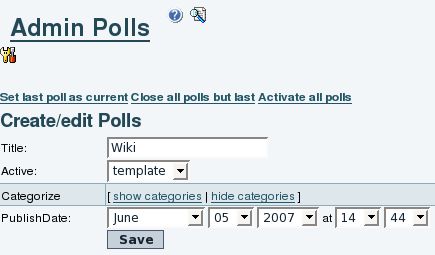
...and add some options to this poll template:
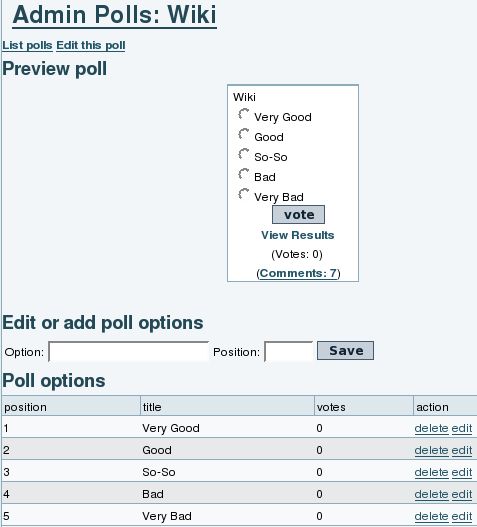
Later on you will be able to select this poll template at wiki edition time.
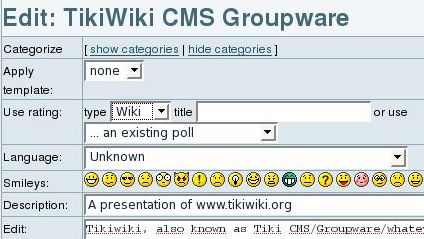
And then, you'll be able to see the results from that rating on that page, or you'll be able to rate that page (if you have enough permissions).
You'll see the "Rating" box on the top right corner of the page.
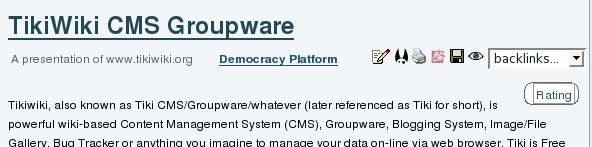
Clicking on that box, you'll see the current results of the poll votes:
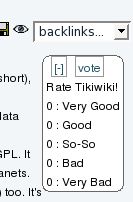
And after clicking on the vote link (on top of the box), you'll be able to insert your vote to that page through that poll.
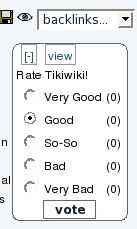
Select an option ("Good" at the screenshot) and click on the vote button. This will record your option, and after you go to see the results again, you'll see:
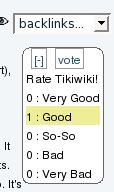
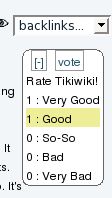
And whenever another person rates the page, you'll see your option highlighted (in yellow in tikineat.css theme style), but not the options of the other users ("Very good", in this screenshot).
1.1 Discussing proposals through using votable comments on Wiki pages
Once a wiki page is created, containing a proposal, for instance, users could discuss arguments for and against that proposal. This could be implemented using the comments feature on wiki pages (check that it's enabled under "Admin > Wiki" in your Tiki site).
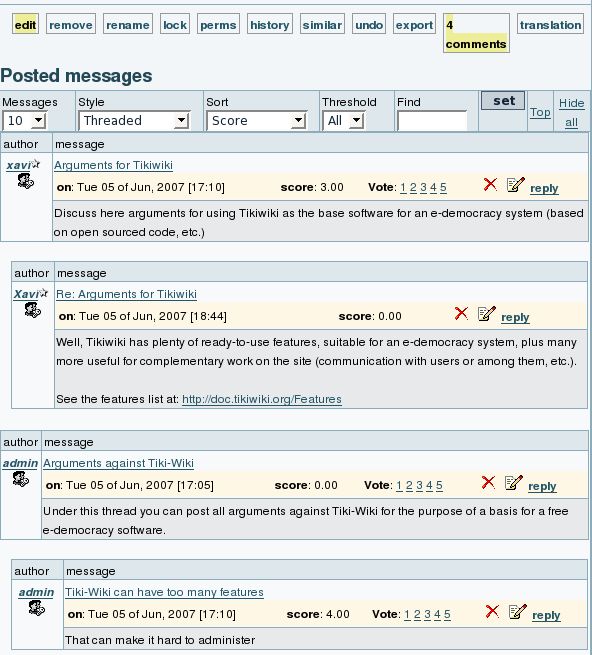
You could add a new thread called "Arguments for that proposal", and another thread called "Arguments against that proposal". Replies to these two threads could be added by users, and a user could vote on other users comments. See the following example:
WARNING:
So far, the rating system is somehow taking into account the user score when making averages of votes, making use of some kind of factor which multiplies for the vote number. However, it seems very easy to modify the template so that votes are averaged the same way for any user, regardless of that users scores
1.2. Discussing proposals through votable forums posts and replies
This is something very similar to the previous case of threaded and votable wiki page comments.
At forum creation (or edition) time, you have to select that posts can be rated, so that users can rate other users posts
2. Submitting proposals through using Trackers and their rating system
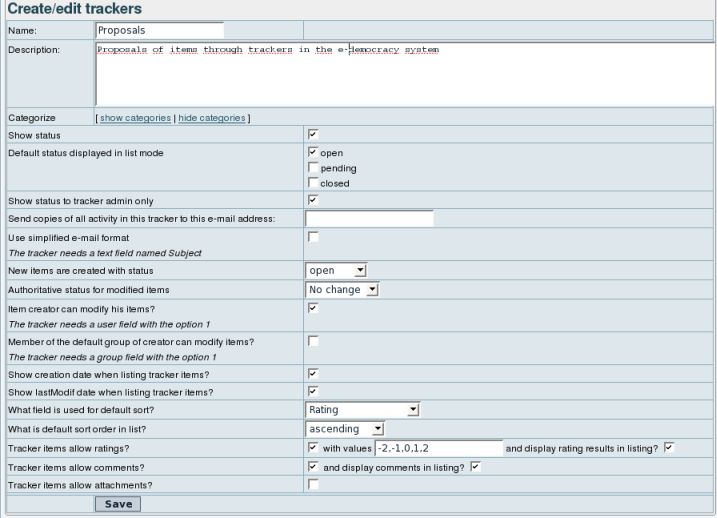
Create a new tracker with "rating" selected
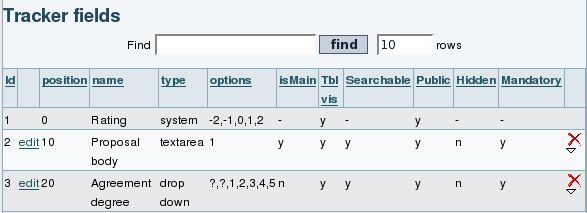
Add some tracker fields, like the ones in the figure:
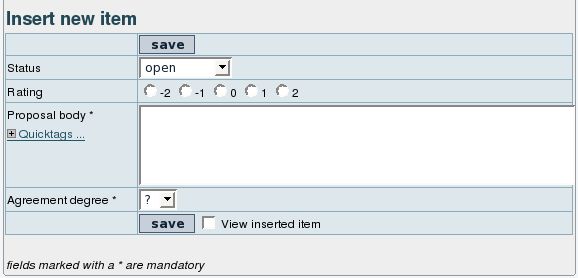
Nowadays, you can go to the tracker, from "Trackers > List Trackers", and select your tracker from the list ("Proposals" in this example). You'll see the insert form:
Fill in the tracker with some items, and rate the tracker items. For instance:
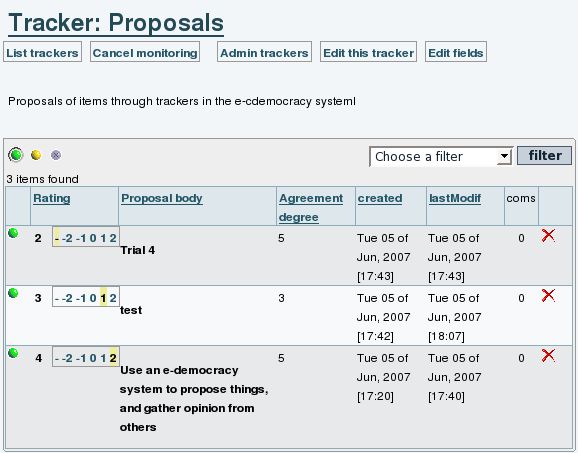
At this stage, you can also use some wiki plugins: TRACKER and TRACKERLIST plugins.
Let's see how can they be used, for instance. In a wiki page, we can add:
{TRACKER(trackerId=>1, fields=>1:2:3, action=>Name of submit button, showtitle=>y,
showdesc=>y, showmandatory=>y, embedded=>y)}Notice to users when submitting
the tracker item{TRACKER}
This would produce (just below the "Register WPE with the People's Congress", starting with a title bar called "Proposals", which is the tracker title):
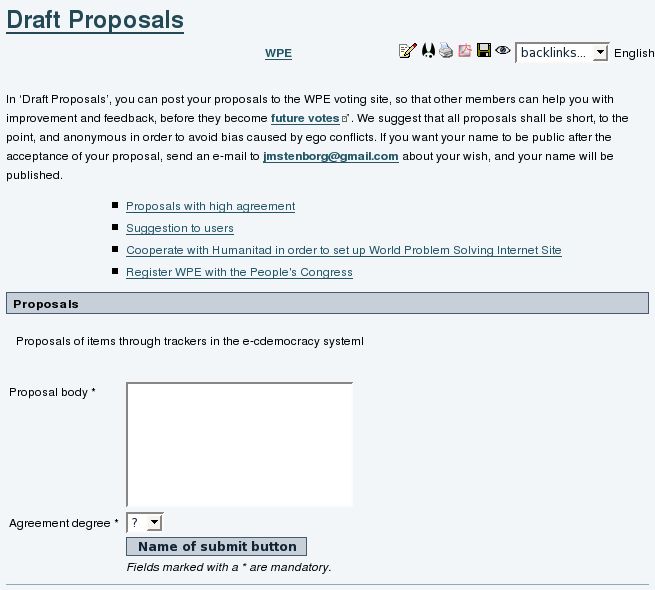
And the TRACKERLIST plugin can be used like in here:
!!! Proposals with high agreement
{TRACKERLIST(trackerId=>1,fields=>1:2:3, showtitle=>y, showlinks=>y, showdesc=>y,
showinitials=>y, showstatus=>y, status=>opc, max=>10, filterfield=>3, filtervalue=>5,
exactvalue=>5)}Notice to users{TRACKERLIST}
Which would produce this filtered list on the wiki page itself:
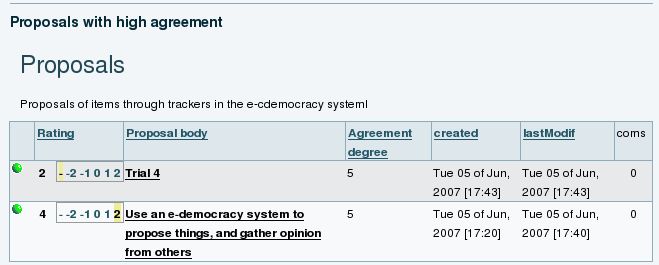
3. Using the PluginProposal
In Tikiwiki 3.0 a new PluginProposal was introduced.
Plugin Proposal
Introduced in Tiki3
Use this wiki plugin to provide a widget for users to vote on a proposal and view the current decision.
- It makes it quick to vote and tally votes
- The proposal and votes are kept in the wiki page so it's still possible to improve the original proposal and to change the votes (there is wiki page version history so everyone can see the evolution).
Parameters
Allow users to vote on a proposal and view the resultsIntroduced in Tiki 3.
Go to the source code
Preferences required: wikiplugin_proposal
| Parameters | Accepted Values | Description | Default | Since |
|---|---|---|---|---|
| (body of plugin) | The list of votes cast. One vote per line. Either 0, +1 or -1 followed by a username. | |||
caption |
text | Short description of the proposal to vote on. Will be displayed above the result table. | 3.0 | |
weights |
text | Comma-separated list of groups and their associated weight. Default is
Registered(1) Example: Reviewer(2.5),User(1),Manager(0.25),Registered(0) |
Registered(1) | 10.0 |
- Note that a user must have edit rights to the page where the proposal is placed in order to be able to see the vote buttons and be able to click on them to vote.
- New in TIki10: Added the ability to set custom weights to groups in the proposal plugin, which affects the stored attributes. This is useful for Code Review
Examples
Basic syntax
{PROPOSAL(caption="Here is the proposal")}
+1 Sam
-1 john
+1 Suzy
+1 Cuong
0 Sam
+1 Helen
+1 Majid
+1 Mohammed
0 Francois
+1 Youssou
+1 Nico

-1~1 will0913{PROPOSAL}
Free birthday pizza
As users vote by clicking the accept, reject or undecided button, the user's user name and vote is automatically placed in the code. Once several people have voted, the code would look something like this:
{PROPOSAL(caption="That each Tiki contributor should get free pizza on their birthday")}
+1 Sam
-1 john
+1 Suzy
+1 Cuong
0 Sam
+1 Helen
+1 Majid
+1 Mohammed
0 Francois
+1 Youssou
+1 Nico
{PROPOSAL}
Would produce:
| Accept | Undecided | Reject |
|---|---|---|
| 7 | 2 | 1 |
|
|
|
Since Tiki10: Added the ability to set custom weights to groups in the proposal plugin, which affects the stored attributes. This is useful for Code Review
Related Pages
- Tutorial: E-Democracy System
- Source code
Aliases
Plugin Proposal | Proposal
4. Using a Voting System based on trackers
See the profile http://profiles.tiki.org/Voting_System to get an example of a Voting System applied in a Tiki12 site.
Voting_System is one simple yet very powerful use of Trackers in Tiki. This profile will enable the tracker feature and create a basic wiki page to act as a custom reduced interface to vote in the system, while hiding some fields to the end user, that are needed to ensure that the user is recognized as a member of the only group that can vote ("Group1"), and that only one vote per user is allowed.
Two users are created for demo purposes: user1, which belongs to group1, and user2, which belongs to group2. Therefore, only user1 can vote, beyond the admin, that can also vote since no permissions are checked against user admin, who has the ability to create and fine tune the system.
You can easily enhance the system as admin by:
- enabling users to get notified by email of changes to their items. This way, a user casting a vote will receive also a notification email with a copy of the choices made in that vote casted (also if only voting once and no furher change is made to that vote).
You can do so by means of:- go to list your trackers (tiki-list_trackers.php), and choose to list the tracker fields for the tracker of the voting system
- edit the field "User selector: Username"
- at the option "Options for User Selector", choose "Email Notification: No". And click at the OK button below to save your changes.
- Set some period for the voting. No votes will be allowed before and after these dates you chose.
You can do so by means of:- go to list your trackers (tiki-list_trackers.php) and edit the tracker for the voting system
- go to the "Permissions" section in that popup window, below at the "Creation date constraint", and click at the "After" and "Before" checkboxes.
- Choose your preferred date and time for each parameter, and click at the OK button below to save your changes.
5. Alow users to rate authors opinions based on Articles or Comments
For Articles:
- Enable the feature "Admin home > Articles > General Settings > User ratings on articles", and set the options here: "Article rating options:" (1, 2, 3, 4, 5; or less/more options than those)
- Ensure that you granted to your desired group/s the permission to vote, and view the rating results.
- articles > tiki_p_rate_article
- tiki > tiki_p_ratings_view_results
For Comments:
- Enable the feature "Admin home > Rating > Comments > Simple wiki comment ratings" and "Wiki rating options:" (1, 2, 3, 4, 5; or less/more options than those)
- Ensure that you granted to your desired group/s the permission to vote, and view the rating results.
- comments > tiki_p_vote_comments
- tiki > tiki_p_ratings_view_results
You can see a few examples below depending on the features enabled (see Rating ), and the permissions of the group of users involved.
1. Example of simple display of results for anonymous users, without the permission to vote, but with the permission to view the rating results, and without detailed results nor colored smiley ratings. One comment also displayed below.
2. Example of simple display of results for registered users, with the permissions to vote and to view the rating results, and without detailed results nor colored smiley ratings. One comment also displayed below
3. Example of detailed display of results for registered users, with the permissions to vote and to view the rating results, and without colored smiley ratings. One comment also displayed below.
4. Example of detailed display of results for registered users, with the permissions to vote and to view the rating results, and with colored smiley ratings. One comment also displayed below.
6. Rate contributions in Forums
Enable the feature "Admin home > Rating > Comments > Simple wiki comment ratings" and "Wiki rating options:" (1, 2, 3, 4, 5; or less/more options than those), and enable the setting "Posts can be rated" for the forum that you are interested in.
Ensure that you granted to your desired group/s the permission to vote, and view the rating results.
- forums > tiki_p_forum_vote
- tiki > tiki_p_ratings_view_results
Example of the thread list in a forum, showing results for the first message of every thread (thread topic), with detailed results and rating smileys both enabled.
If we visit one of those threads of that forum, we can see that the rating shown in the threads list corresponds to the rating of the thread topic (first message of the thread). Replies to that topic can also be rated by users.
Related links
;)